

Skip to content
en
AUD
Skip to product information
Description

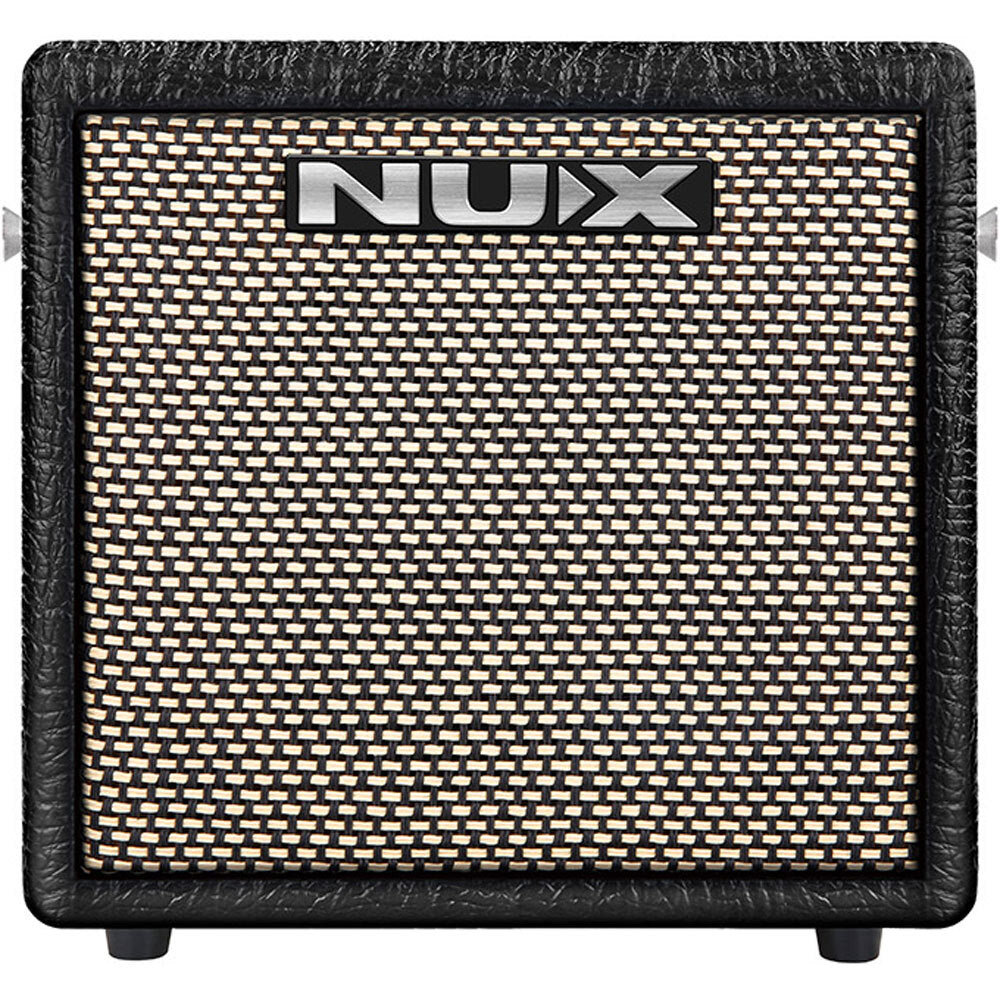
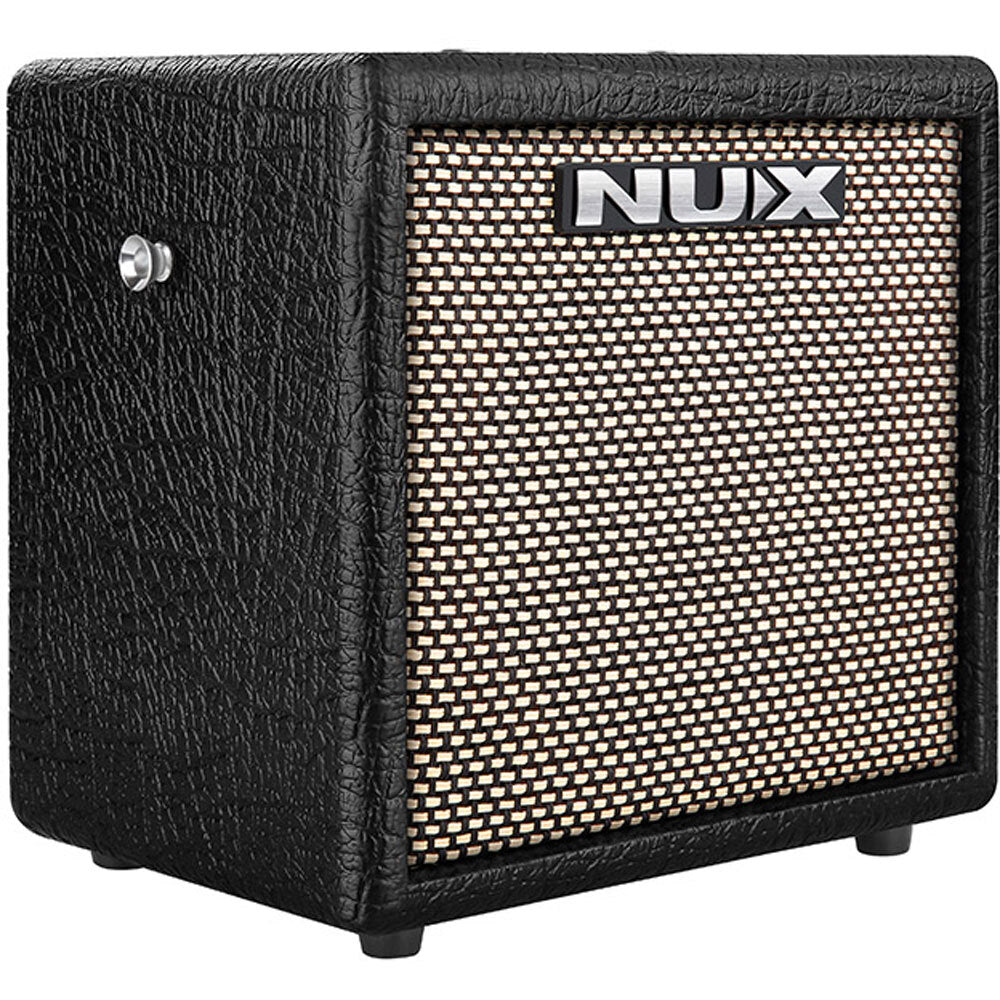
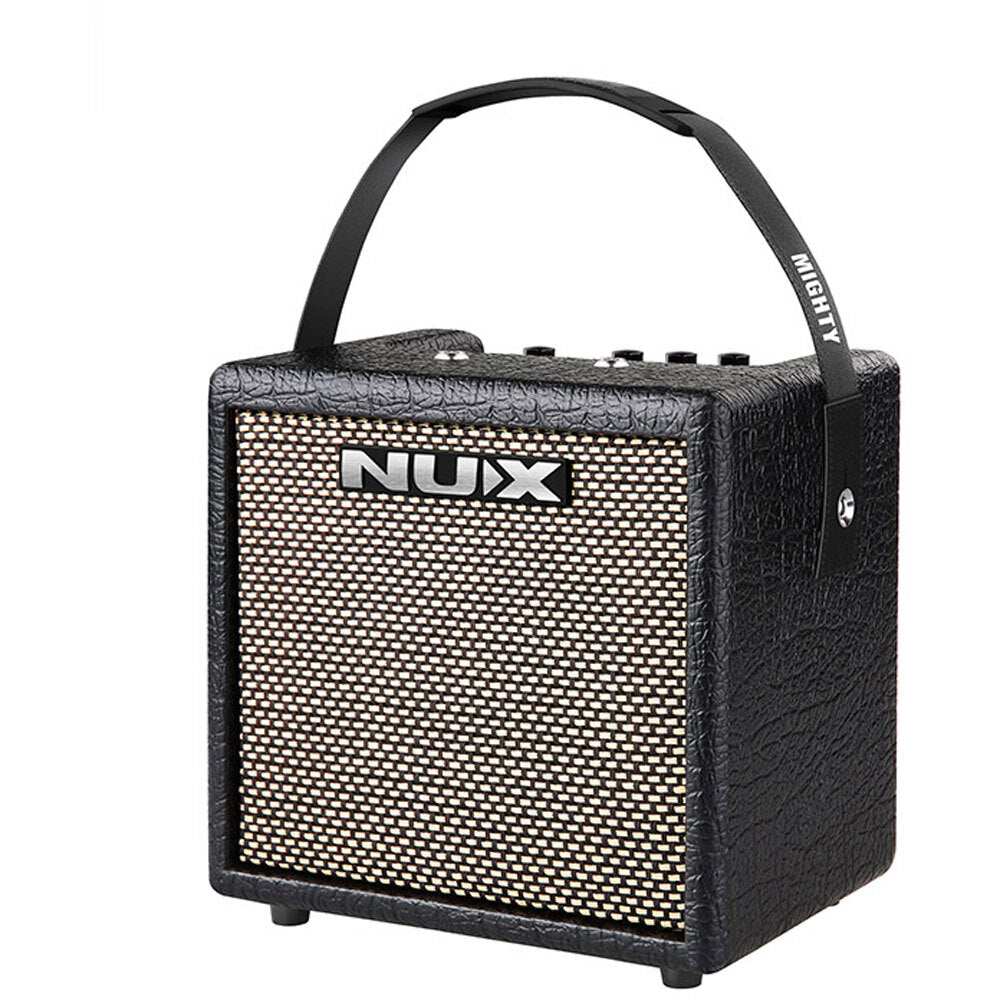
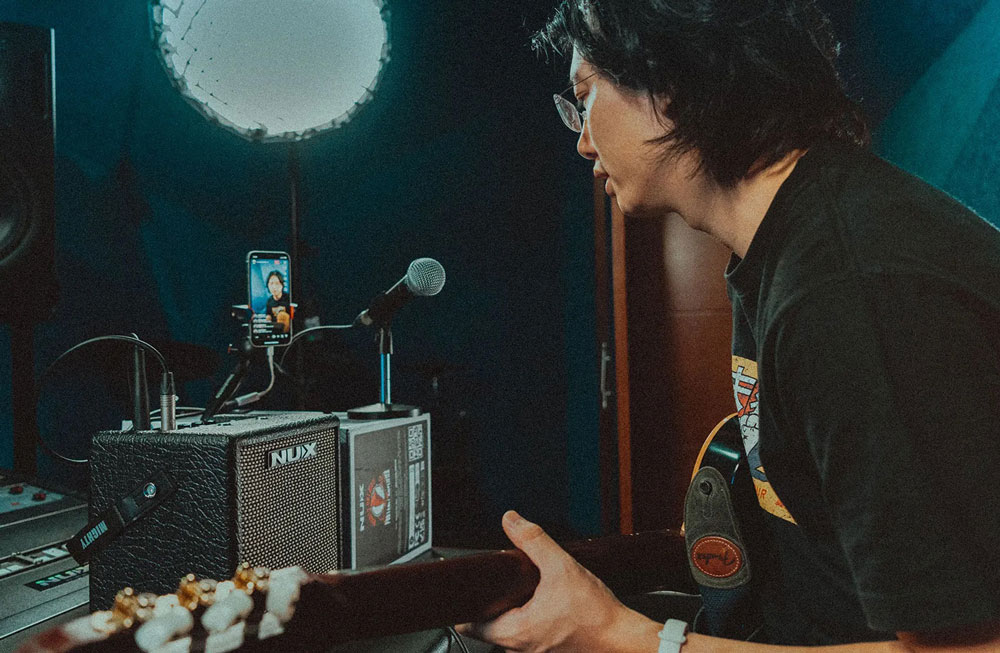
The brand new MIGHTY 8BT MKII includes a 6.5” FRFR speaker with IR technology, offering you limitless tonal possibilities. By using 8 x AA batteries, this portable amp will let you busk anywhere for up to 8 hours.

The MIGHTY 8BT MKII provides a variety of effects for electric guitar and bass guitar including amp modeling and cabinet IRs. It also comes with acoustic amp modeling and acoustic IRs to let you simulate acoustic guitar tones. There’s even an additional channel on the amp to plug in a dynamic mic, making it a great solution for live performances.

FEATURES:

  • 8 watts with 6.5” FRFR speaker portable Modeling Amplifier.
  • MIC input.
  • TSAC-HD (White-Box) Amp Modeling algorithm offers realistic playability & feedback.
  • 512 samples IR resolution. (36 premium built-in IRs and 18 user slots for 3rd party)
  • 7 presets with ACTIVE functions. (PRESET switch toggles ACTIVE ones sequentially.)
  • GATE, EFX, AMP, IR, MOD, DLY, RVB effect blocks.
  • White-box algorithm EFX offers analog response and natural chaos.
  • Patch Level function for each preset.
  • Drum machine.
  • Intuitive MightyAmp™ APP & Mighty Editor™ edit software(3rd party IR loader).
  • USB-C: Mighty Editor™ edit software communication, USB audio stream, and Firmware update.
  • 8 x AA batteries can drive 8 hrs.
  • Power DC 12V Negative Tip power adapter input or 8 AA size batteries

SPECIFICATIONS:

  • INSTRUMENT Input Impedance: 1MΩ
  • MIC Input Impedance: 6.2kΩ
  • AUX In Impedance: 9.1KΩ
  • Headphone Output: 280mW+280mW (to 33 ohms load)
  • Sampling Rate: 48KHz/32-bit
  • System Latency: 1.42ms
  • Current Draw: 12V DC 170mA
  • Speaker: 6.5”, 4Ω, 10W
  • Dimensions (L x W x H): 240 x 166 x 220mm
  • Weight: 2.96kg

Editing and saving your presets can be done in the studio or on the go with the Mighty Amp App for your smart device (iOS/Android) or Mighty Editor™ software (Mac/PC). And you can even load 3rd party IRs through the Mighty Editor™ edit software to expand your tone. (You can load any WAV format IRs, the Mighty Editor™ will convert to 32bits/48kHz onto the device automatically.)
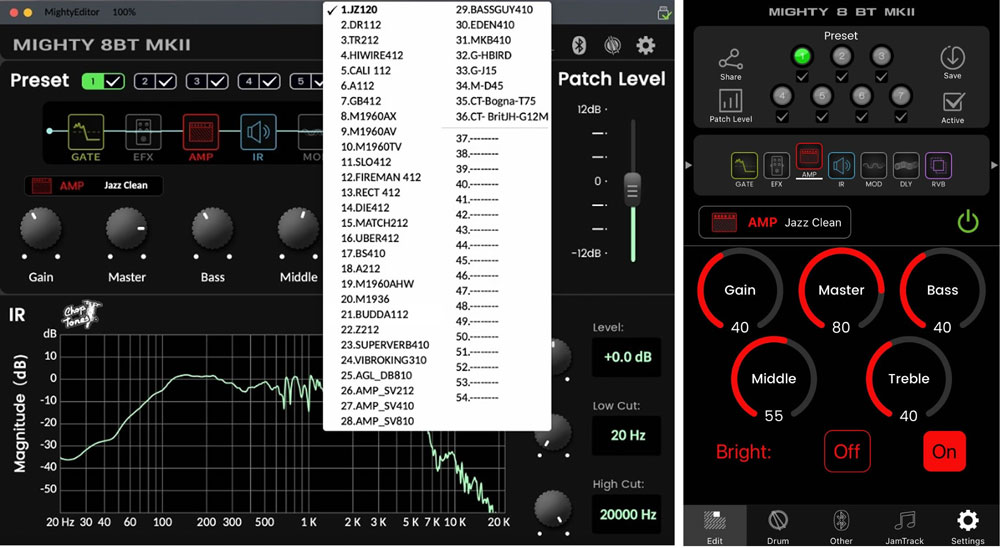
Note: There are 36 default IRs, and user IR slots are 18 (from 37 to 54).

The MightyAmp™ APP and Mighty Editor™ edit software lets you tweak all the signal blocks and parameters. The MIGHTY 8BT MKII includes GATE, EFX, AMP, IR, MOD, DLY and RVB signal blocks.

The MIGHTY 8BT MKII supports USB-C audio stream, meaning that it can be an USB recording interface with your favorite recording software. It supports Normal / Dry Out / Re-amp / Loopback routing, which can be adjusted via the MightyAmp™ APP or Mighty Editor™ edit software for live stream jamming with Loopback! (Loopback signal includes PC’s playback, Bluetooth audio, AUX IN signals.) Using and OTG adaptor enables you to livestream from your mobile device!

Note: Be sure to download the NUX ASIO Driver from the NUX website prior to using the MIGHTY 8BT MKII as a recording interface if you’re on a PC. If you’re a Mac user, it’s plug and play.

For iOS devices, please use the original Apple® Lightning to USB OTG adaptor.

* All of the brand and model names mentioned on this page are Trademarks of their respective owners, which are in no way associated or affiliated with NUX Effects and Cherub Technology CO. LTD.
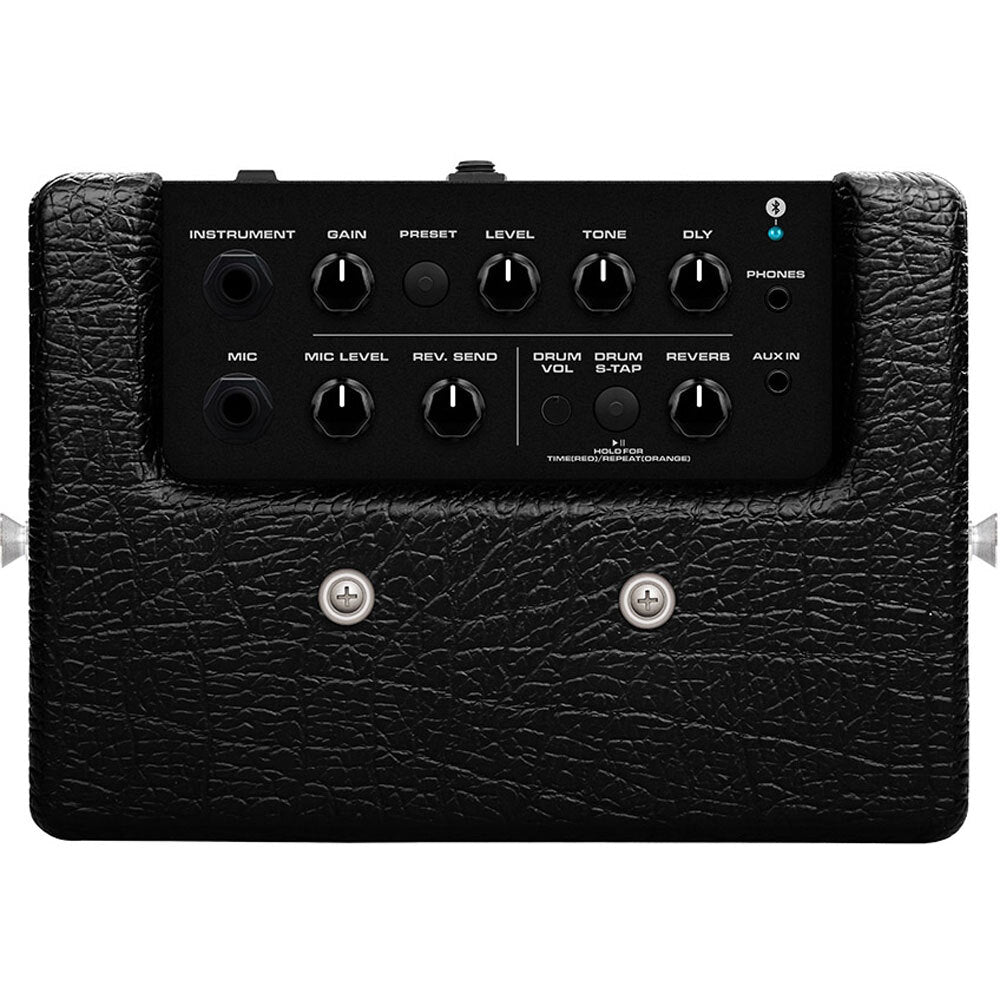
Control Panel & I/O Jacks
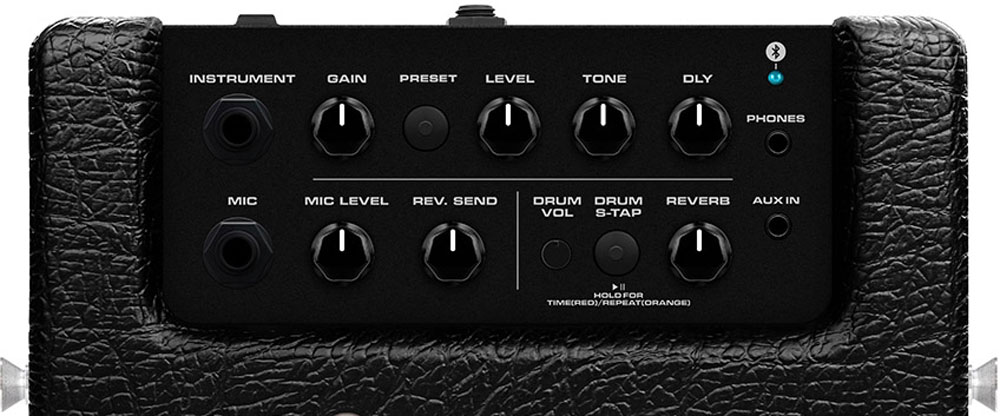
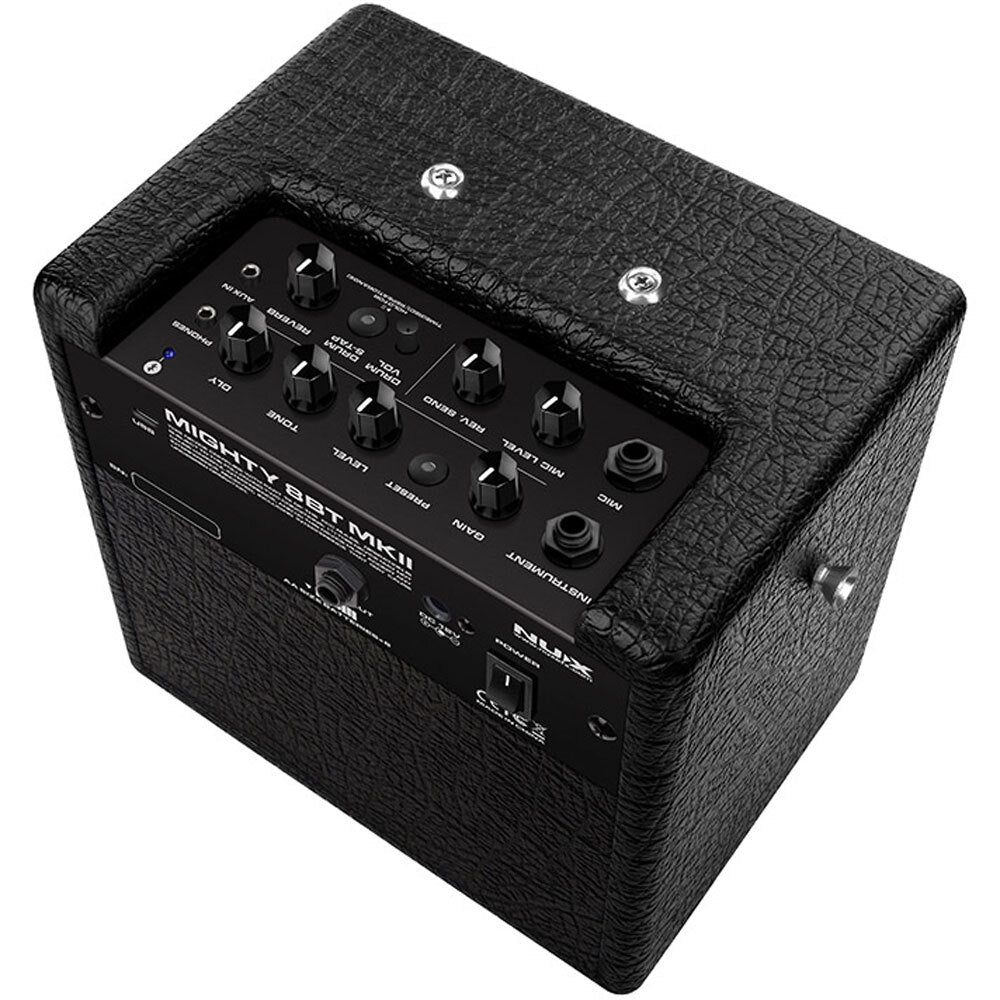
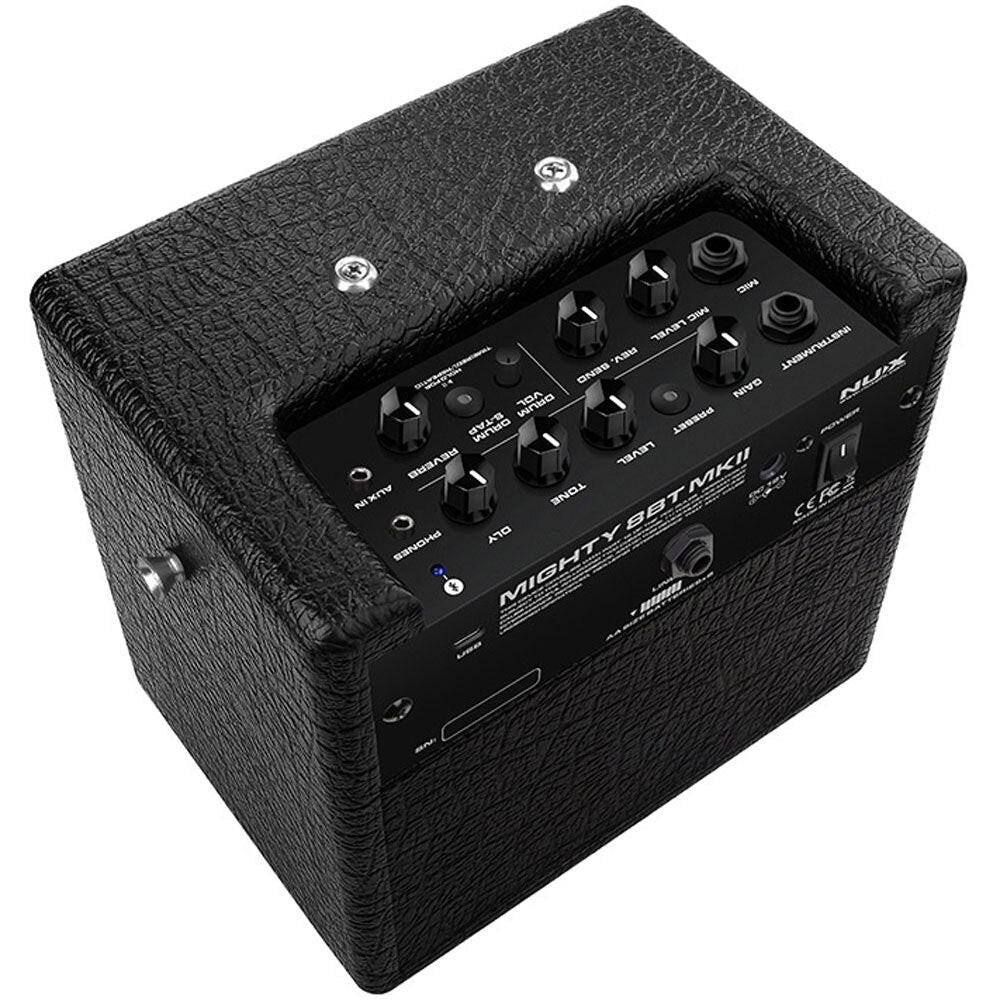
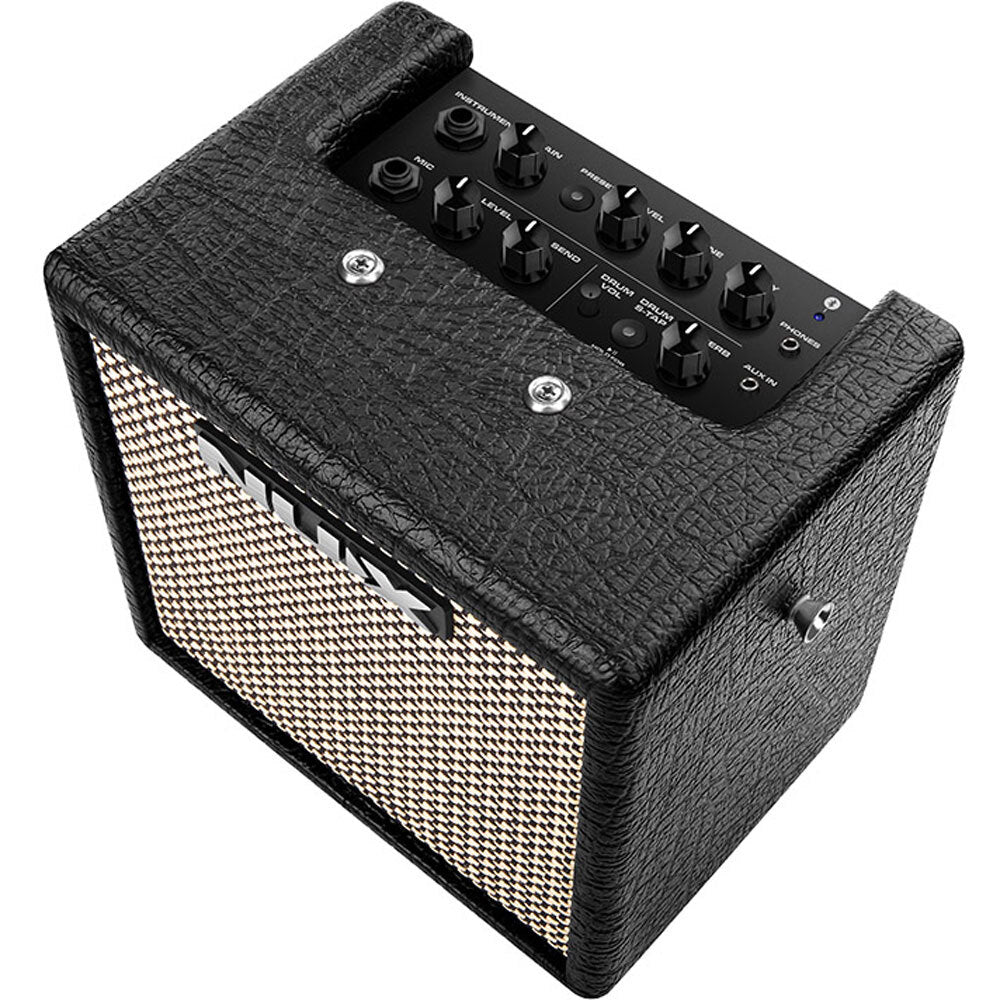
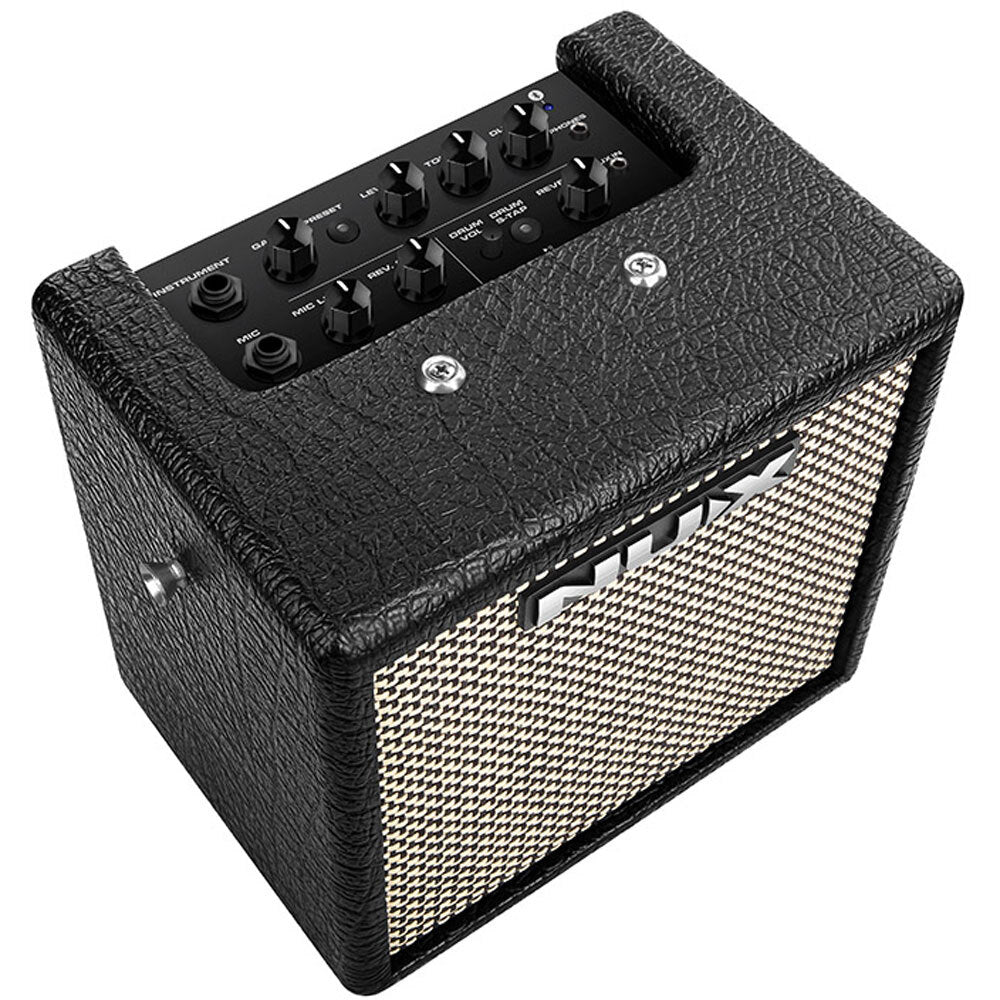
  • 1/4'' (6.35mm) INSTRUMENT JACK:
    Connect your guitar or bass to the INSTRUMENT jack.
  • GAIN, LEVEL, TONE, PRESET SWITCH / INDICATOR:
    GAIN knob: GAIN controls AMP model’s gain.
    LEVEL knob: LEVEL controls AMP model’s master volume.
    TONE knob: TONE controls AMP model’s Presence / Bright switch / Tone.
    PRESET switch/indicator: While the device is engaged, you can press the PRESET switch to change the preset from 1-7. The indicator will display colors related to specific presets.


    Note: You can adjust which preset can be ACTIVE while you press the PRESET switch through MightyAmp™ APP or Mighty Editor™ edit software. (ACTIVE function)
  • 1/4” (6.35mm) MIC JACK, MIC LEVEL KNOB, REV. SEND KNOB:
    1/4” MIC jack: Connect a dynamic microphone.
    MIC LEVEL knob: Adjust the dynamic microphone input level.
    REV. SEND knob: Adjust the REVERB mix level related to RVB.
    REVERB knob: Controls RVB (REVERB) mix level.
    DLY knob: Controls Delay mix level by default. By using the DRUM S-TAP switch, this knob can also adjust the delay time and repeat parameters. Keep reading to learn more.
  • DRUM VOL POT, DRUM S-TAP SWITCH & INDICATOR
    DRUM VOL pot controls the drum machine volume.

    DRUM S-TAP switch & indicator: Press it to start / stop the drum machine. The Smart Tap Tempo adjusts the drum tempo. While the drum machine plays back, the indicator will flash “GREEN” in time with the drum BPM. To set a new tempo, simply tap this switch in succession to the desired tempo. This switch also includes a secondary function specific to the DLY block. Press and Hold the switch to change the indicator’s color to RED, which enables you to access the DLY TIME parameter. Once accessed, just use the DLY knob to alter the value. Press and hold the switch again to change the indicator’s color to ORANGE, which enables you to access the REPEAT parameter. Just like before, use the DLY knob to alter this parameter.

    * If you want to change the drum style, just use the MightyAmp™ APP or Mighty Editor™ edit software.
  • AUX IN JACK
    Connect an MP3 player to the 1/8” AUX IN jack to play audio tracks for jamming.
  • PHONES OUT JACK
    Connect with headphones for silent practicing, the MIGHTY 8BT MKII speaker will be automatically muted.
  • BLUETOOTH INDICATOR:
    When connecting a Bluetooth enabled device to the MIGHTY 8BT MKII, the amps’ BLUETOOTH indicator will turn solid Blue. (If not connected, the BLUETOOTH indicator will flash Blue.)

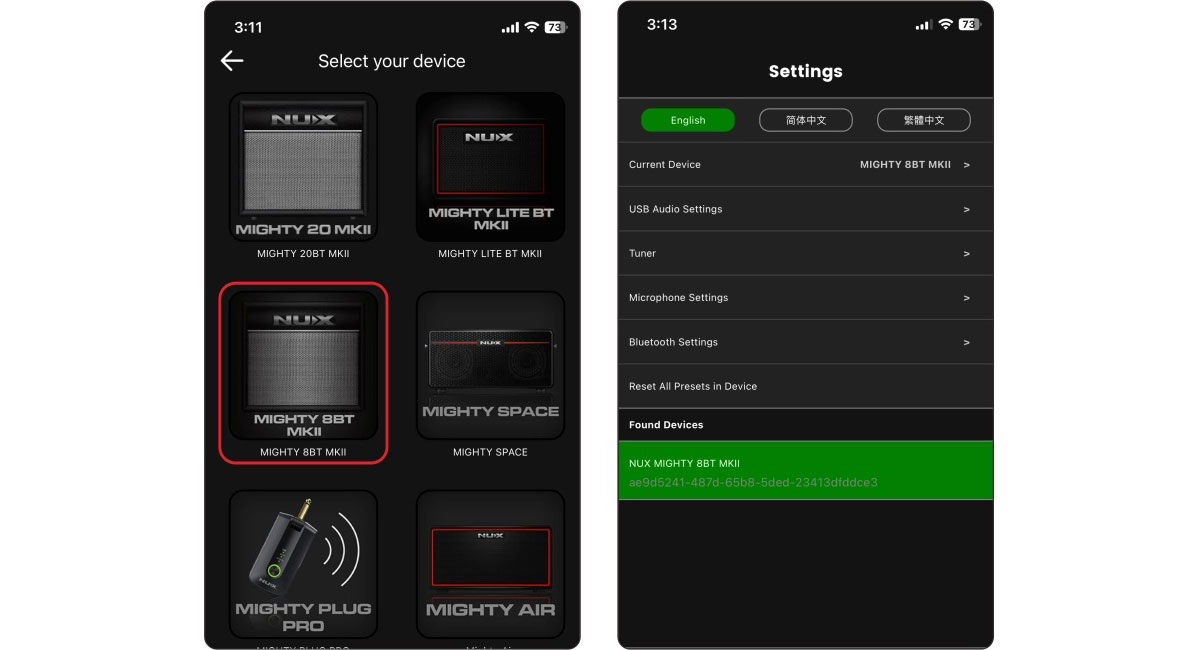
    Operation: Do the following to play audio through the MIGHTY 8BT MKII via Bluetooth. Click "Settings" on your mobile device. Enter "Bluetooth", and choose "MIGHTY 8BT MKII". Once connected to the MIGHTY 8BT MKII’s Bluetooth audio, you will hear a connection sound.

    If you wish to disconnect the MIGHTY LITE BT MKII, just press and hold the PRESET button/indicator to disconnect. Then you can connect to MIGHTY LITE BT MKII manually.

    Note: The Bluetooth audio and Bluetooth MIDI are independent, you have to connect them separately. Both connections must be made in order to use the MIGHTY LITE BT MKII’s full functionality. Keep reading to complete this process.

    MightyAmp™ APP connects with the device.

    Operation: Launch the MightyAmp™ APP on your mobile phone, and press "Settings" to choose "Current Amp" as "MIGHTY LITE BT MKII", then "Click to Scan Devices". The APP will find the "MIGHTY LITE BT MKII". Now select it, and the APP will connect with the device.

Back Panel Configuration
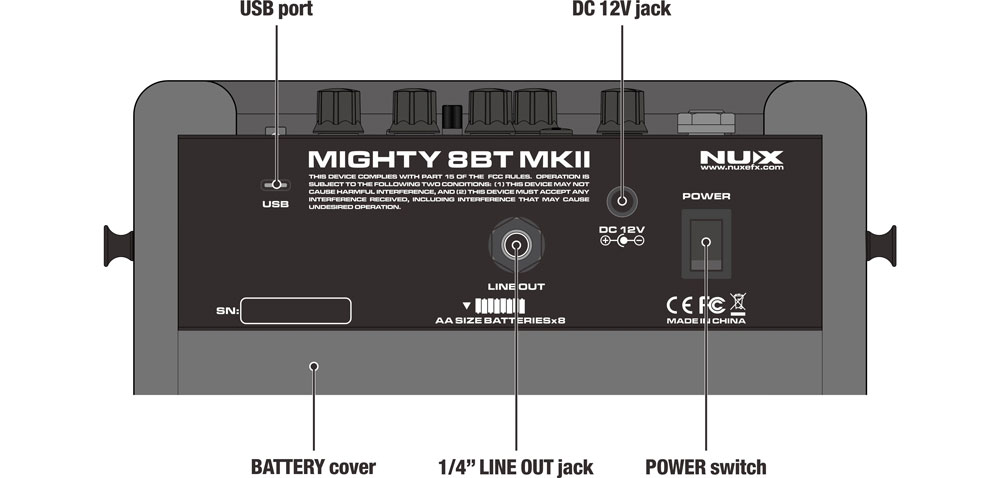
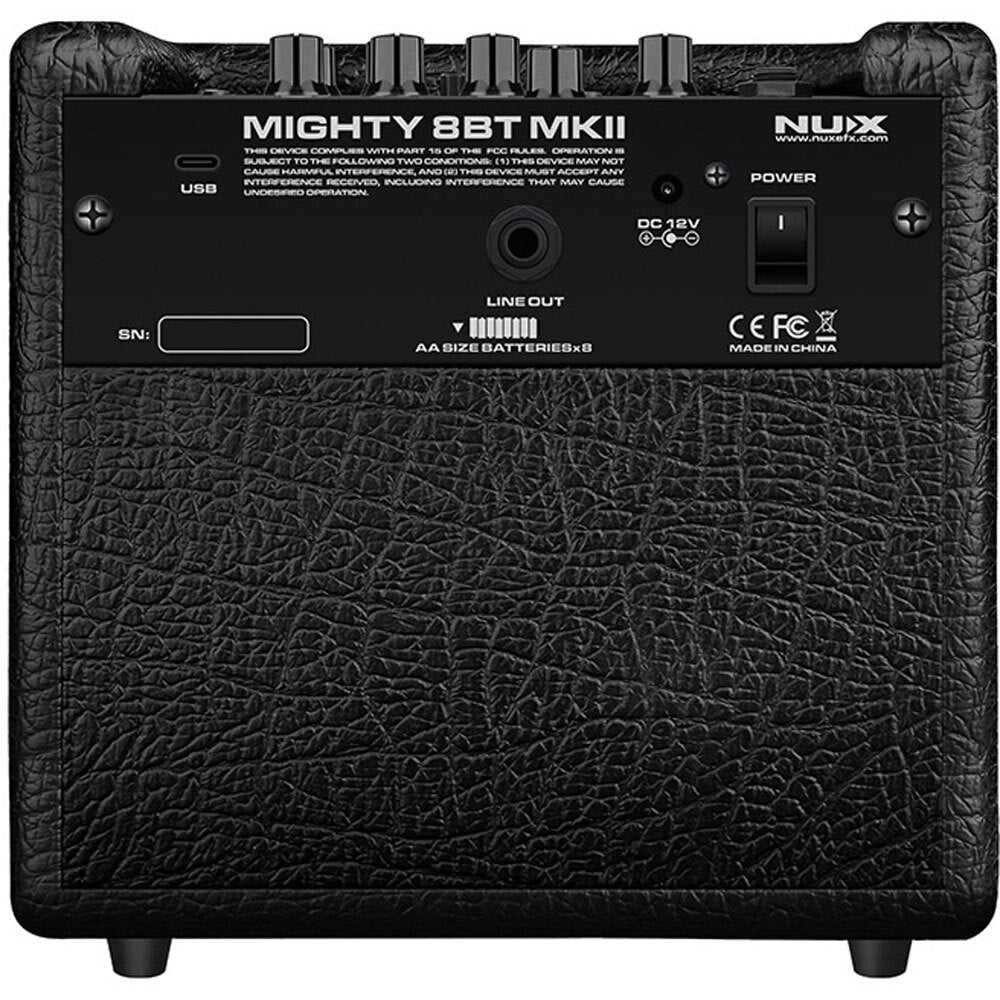
  • POWER (DC12V)
    Connect the included power adaptor and toggle the POWER switch to turn on the MIGHTY 8BT MKII.
  • USB PORT
    This port if for the Mighty Editor™ edit software, USB audio stream, and Firmware updates. Please note that the USB port cannot be used to power the amp.

    Recording: For WIN OS, please go to the product page to download ASIO driver for recording. For MAC OS, the device supports CORE AUDIO, so there is no need for driver.

    Firmware Update: Connect to your PC via USB, then press and hold the DRUM S-TAP switch and turn on the device to enter to DFU (Device Firmware Update) mode. Then use the DFU updater software to update the firmware. (You can get the firmware and firmware update guide on the link at the bottom of this page)
  • 1/4" LINE OUT JACK
    The 1/4” LINE OUT jack supports a TRS balanced output signal. This means that the amp signal (including all of the processing) and the mic signal can be connected to a PA system or mixer.
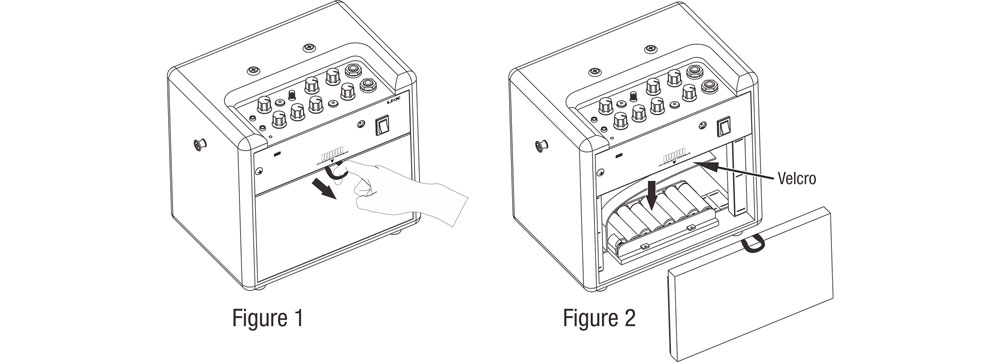
  • BATTERY COVER
    MIGHTY 8BT MKII can be powered by 8 AA batteries.
Orders typically take 1-3 business days to process and ship. When items are out of stock, they will be dispatched no more than 10 days after ordering. For urgent orders please contact us first to confirm stock availability.
Delivery
- Free deliver for orders over $249 - $11.95 delivery for orders under $249 - Bulky size item will require custom freight quote, a team member will reach out once the order has been placed.
Price Matching
Found the same item elsewhere cheaper? Ask us for a price match!

NU-X Mighty 8BT MKII Portable Digital 8W Bluetooth Guitar Amplifier

Sale price $299.95
Regular price $335.00You saved 10% OFF

Tax included. Shipping calculated at checkout

NXMIGHTY8BTII

  • Apple Pay
  • Google Pay
  • Mastercard
  • PayPal
  • Shop Pay
  • Union Pay
  • Visa

The brand new MIGHTY 8BT MKII includes a 6.5” FRFR speaker with IR technology, offering you limitless tonal possibilities. By using 8 x AA batteries, this portable amp will let you busk anywhere for up to 8 hours.

The MIGHTY 8BT MKII provides a variety of effects for electric guitar and bass guitar including amp modeling and cabinet IRs. It also comes with acoustic amp modeling and acoustic IRs to let you simulate acoustic guitar tones. There’s even an additional channel on the amp to plug in a dynamic mic, making it a great solution for live performances.

FEATURES:

  • 8 watts with 6.5” FRFR speaker portable Modeling Amplifier.
  • MIC input.
  • TSAC-HD (White-Box) Amp Modeling algorithm offers realistic playability & feedback.
  • 512 samples IR resolution. (36 premium built-in IRs and 18 user slots for 3rd party)
  • 7 presets with ACTIVE functions. (PRESET switch toggles ACTIVE ones sequentially.)
  • GATE, EFX, AMP, IR, MOD, DLY, RVB effect blocks.
  • White-box algorithm EFX offers analog response and natural chaos.
  • Patch Level function for each preset.
  • Drum machine.
  • Intuitive MightyAmp™ APP & Mighty Editor™ edit software(3rd party IR loader).
  • USB-C: Mighty Editor™ edit software communication, USB audio stream, and Firmware update.
  • 8 x AA batteries can drive 8 hrs.
  • Power DC 12V Negative Tip power adapter input or 8 AA size batteries

SPECIFICATIONS:

  • INSTRUMENT Input Impedance: 1MΩ
  • MIC Input Impedance: 6.2kΩ
  • AUX In Impedance: 9.1KΩ
  • Headphone Output: 280mW+280mW (to 33 ohms load)
  • Sampling Rate: 48KHz/32-bit
  • System Latency: 1.42ms
  • Current Draw: 12V DC 170mA
  • Speaker: 6.5”, 4Ω, 10W
  • Dimensions (L x W x H): 240 x 166 x 220mm
  • Weight: 2.96kg

Editing and saving your presets can be done in the studio or on the go with the Mighty Amp App for your smart device (iOS/Android) or Mighty Editor™ software (Mac/PC). And you can even load 3rd party IRs through the Mighty Editor™ edit software to expand your tone. (You can load any WAV format IRs, the Mighty Editor™ will convert to 32bits/48kHz onto the device automatically.)

Note: There are 36 default IRs, and user IR slots are 18 (from 37 to 54).

The MightyAmp™ APP and Mighty Editor™ edit software lets you tweak all the signal blocks and parameters. The MIGHTY 8BT MKII includes GATE, EFX, AMP, IR, MOD, DLY and RVB signal blocks.

The MIGHTY 8BT MKII supports USB-C audio stream, meaning that it can be an USB recording interface with your favorite recording software. It supports Normal / Dry Out / Re-amp / Loopback routing, which can be adjusted via the MightyAmp™ APP or Mighty Editor™ edit software for live stream jamming with Loopback! (Loopback signal includes PC’s playback, Bluetooth audio, AUX IN signals.) Using and OTG adaptor enables you to livestream from your mobile device!

Note: Be sure to download the NUX ASIO Driver from the NUX website prior to using the MIGHTY 8BT MKII as a recording interface if you’re on a PC. If you’re a Mac user, it’s plug and play.

For iOS devices, please use the original Apple® Lightning to USB OTG adaptor.

* All of the brand and model names mentioned on this page are Trademarks of their respective owners, which are in no way associated or affiliated with NUX Effects and Cherub Technology CO. LTD.

Control Panel & I/O Jacks

  • 1/4'' (6.35mm) INSTRUMENT JACK:
    Connect your guitar or bass to the INSTRUMENT jack.
  • GAIN, LEVEL, TONE, PRESET SWITCH / INDICATOR:
    GAIN knob: GAIN controls AMP model’s gain.
    LEVEL knob: LEVEL controls AMP model’s master volume.
    TONE knob: TONE controls AMP model’s Presence / Bright switch / Tone.
    PRESET switch/indicator: While the device is engaged, you can press the PRESET switch to change the preset from 1-7. The indicator will display colors related to specific presets.


    Note: You can adjust which preset can be ACTIVE while you press the PRESET switch through MightyAmp™ APP or Mighty Editor™ edit software. (ACTIVE function)
  • 1/4” (6.35mm) MIC JACK, MIC LEVEL KNOB, REV. SEND KNOB:
    1/4” MIC jack: Connect a dynamic microphone.
    MIC LEVEL knob: Adjust the dynamic microphone input level.
    REV. SEND knob: Adjust the REVERB mix level related to RVB.
    REVERB knob: Controls RVB (REVERB) mix level.
    DLY knob: Controls Delay mix level by default. By using the DRUM S-TAP switch, this knob can also adjust the delay time and repeat parameters. Keep reading to learn more.
  • DRUM VOL POT, DRUM S-TAP SWITCH & INDICATOR
    DRUM VOL pot controls the drum machine volume.

    DRUM S-TAP switch & indicator: Press it to start / stop the drum machine. The Smart Tap Tempo adjusts the drum tempo. While the drum machine plays back, the indicator will flash “GREEN” in time with the drum BPM. To set a new tempo, simply tap this switch in succession to the desired tempo. This switch also includes a secondary function specific to the DLY block. Press and Hold the switch to change the indicator’s color to RED, which enables you to access the DLY TIME parameter. Once accessed, just use the DLY knob to alter the value. Press and hold the switch again to change the indicator’s color to ORANGE, which enables you to access the REPEAT parameter. Just like before, use the DLY knob to alter this parameter.

    * If you want to change the drum style, just use the MightyAmp™ APP or Mighty Editor™ edit software.
  • AUX IN JACK
    Connect an MP3 player to the 1/8” AUX IN jack to play audio tracks for jamming.
  • PHONES OUT JACK
    Connect with headphones for silent practicing, the MIGHTY 8BT MKII speaker will be automatically muted.
  • BLUETOOTH INDICATOR:
    When connecting a Bluetooth enabled device to the MIGHTY 8BT MKII, the amps’ BLUETOOTH indicator will turn solid Blue. (If not connected, the BLUETOOTH indicator will flash Blue.)

    Operation: Do the following to play audio through the MIGHTY 8BT MKII via Bluetooth. Click "Settings" on your mobile device. Enter "Bluetooth", and choose "MIGHTY 8BT MKII". Once connected to the MIGHTY 8BT MKII’s Bluetooth audio, you will hear a connection sound.

    If you wish to disconnect the MIGHTY LITE BT MKII, just press and hold the PRESET button/indicator to disconnect. Then you can connect to MIGHTY LITE BT MKII manually.

    Note: The Bluetooth audio and Bluetooth MIDI are independent, you have to connect them separately. Both connections must be made in order to use the MIGHTY LITE BT MKII’s full functionality. Keep reading to complete this process.

    MightyAmp™ APP connects with the device.

    Operation: Launch the MightyAmp™ APP on your mobile phone, and press "Settings" to choose "Current Amp" as "MIGHTY LITE BT MKII", then "Click to Scan Devices". The APP will find the "MIGHTY LITE BT MKII". Now select it, and the APP will connect with the device.


Back Panel Configuration

  • POWER (DC12V)
    Connect the included power adaptor and toggle the POWER switch to turn on the MIGHTY 8BT MKII.
  • USB PORT
    This port if for the Mighty Editor™ edit software, USB audio stream, and Firmware updates. Please note that the USB port cannot be used to power the amp.

    Recording: For WIN OS, please go to the product page to download ASIO driver for recording. For MAC OS, the device supports CORE AUDIO, so there is no need for driver.

    Firmware Update: Connect to your PC via USB, then press and hold the DRUM S-TAP switch and turn on the device to enter to DFU (Device Firmware Update) mode. Then use the DFU updater software to update the firmware. (You can get the firmware and firmware update guide on the link at the bottom of this page)
  • 1/4" LINE OUT JACK
    The 1/4” LINE OUT jack supports a TRS balanced output signal. This means that the amp signal (including all of the processing) and the mic signal can be connected to a PA system or mixer.
  • BATTERY COVER
    MIGHTY 8BT MKII can be powered by 8 AA batteries.

Orders typically take 1-3 business days to process and ship. When items are out of stock, they will be dispatched no more than 10 days after ordering. For urgent orders please contact us first to confirm stock availability.
- Free deliver for orders over $249 - $11.95 delivery for orders under $249 - Bulky size item will require custom freight quote, a team member will reach out once the order has been placed.
Found the same item elsewhere cheaper? Ask us for a price match!
NU-X Mighty 8BT MKII Portable Digital 8W Bluetooth Guitar Amplifier

Here at Crescendo...

"Established in 1976, we are more than just a music store—we are here in the Australian music scene to providing the highest standard of service and instruments to the music community with our expertise and experience."

Music Lessons

Looking to begin your musical journey or take your skills to the next level with expert guidance?

Established in 2018, Crescendo Academy of Music has grown into one of Western Australia's trusted music schools, proudly welcoming over 650 students and bringing together a dedicated team of 25+ experienced music educators. Whether you're a complete beginner or an aspiring musician, we're passionate about helping students of all ages and abilities discover, develop and achieve their musical potential.

Studio Hire

Looking for a space to practice, rehearse or record?

Crescendo Academy of Music offers 9 beautifully appointed music rooms available for hire, including rooms equipped with quality upright or grand pianos, as well as sound-treated spaces suitable for a variety of musical needs.

As an official AMEB and ABRSM examination venue, Crescendo Academy provides a professional and welcoming environment for musicians of all levels, whether you're practising independently, preparing for an examination, rehearsing for a performance or working on your next recording.

Enquire today to find your ideal music space!

Performance Hall Hire

Looking for the perfect venue for your next music concert, recital or examination recording?

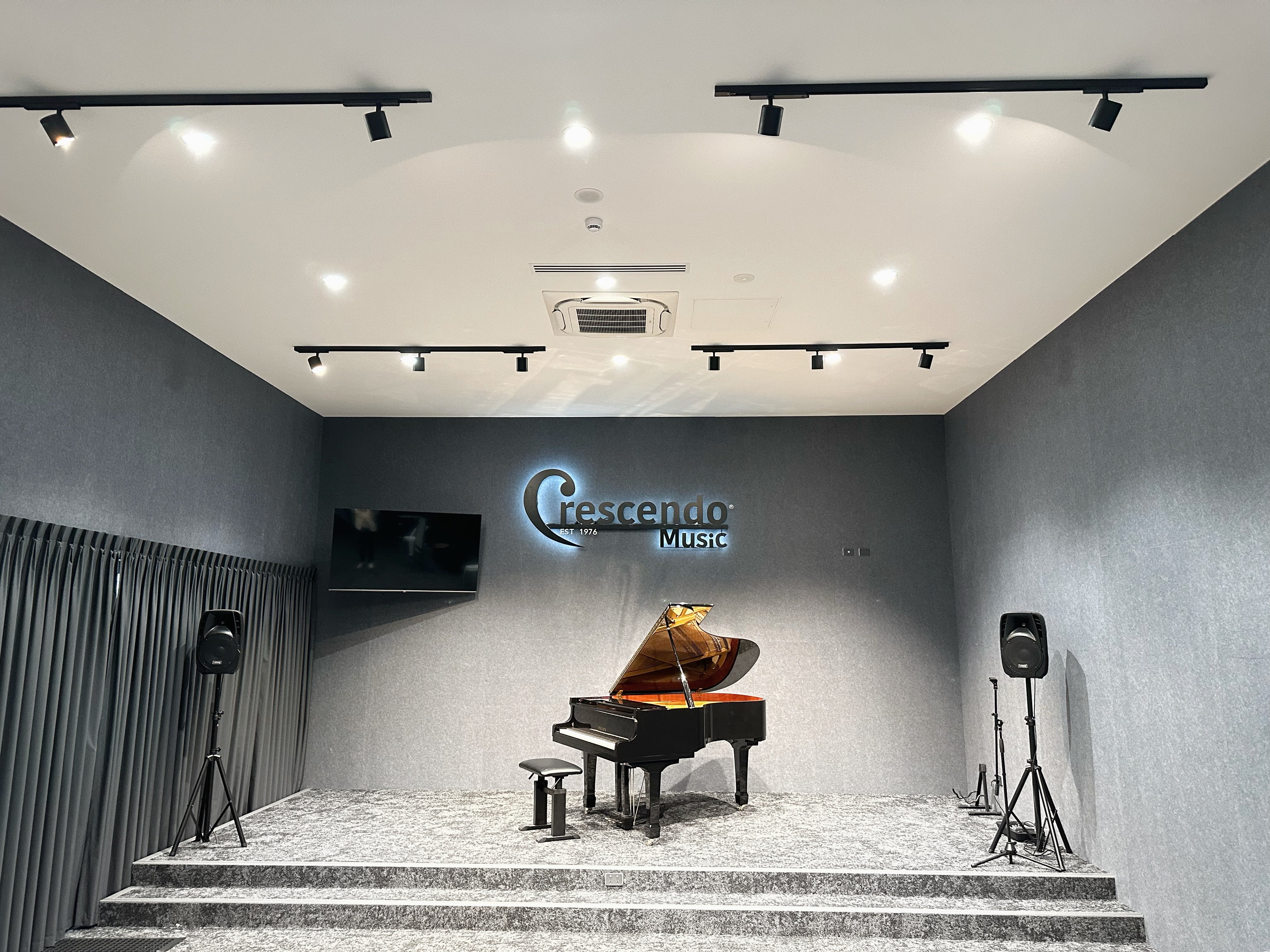
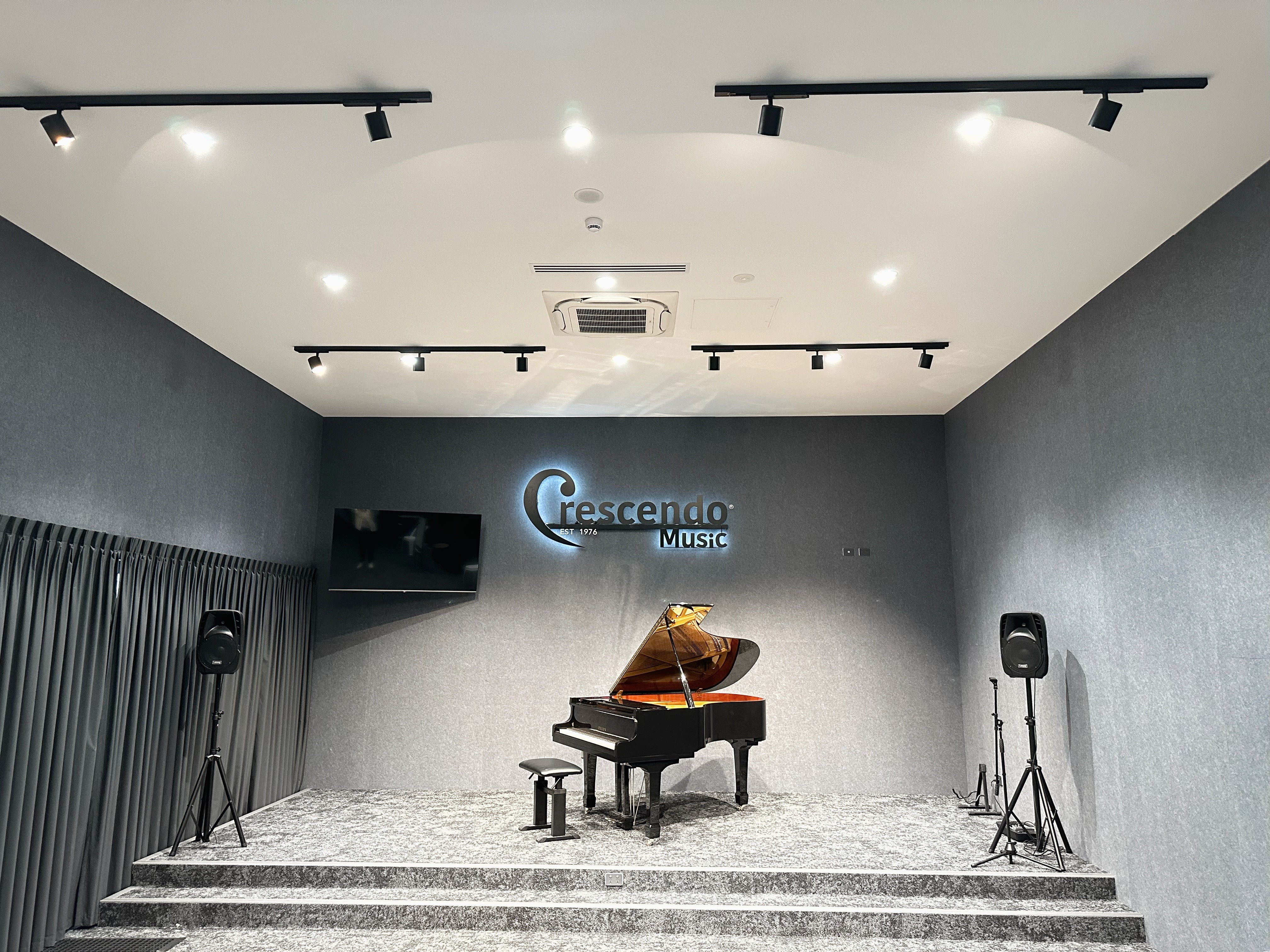
Crescendo Academy of Music offers a beautifully appointed performance hall accommodating up to 80 guests, featuring a magnificent Yamaha C5 6'7 grand piano, a basic PA system and a dedicated balcony area for refreshments.

Whether you're hosting an intimate recital, organising a student concert or recording your examination performance, our hall provides a professional and welcoming setting to bring your music to life.

Enquire today to book your next performance or recording session!

Drawer Title
Similar Products